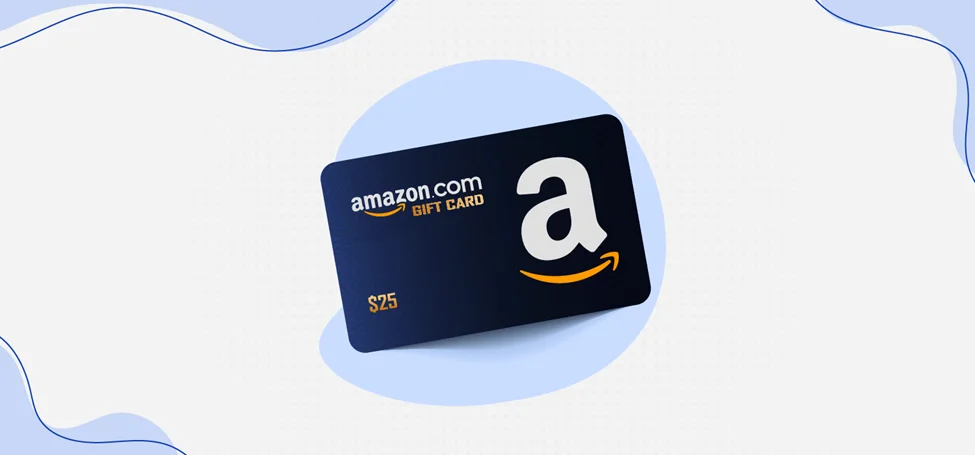
Amazon gift cards are one of the most popular digital and physical gifting options worldwide. They are convenient, flexible, and easy to use—once you know where to find the claim code. However, many users, especially first-time recipients, often ask the same question: where is claim code on amazon gift card?
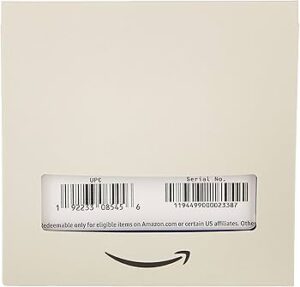 The confusion is understandable. Amazon gift cards come in multiple formats, including physical cards, eGift cards, and printable gift cards. Each type displays the claim code differently, and missing or scratching the wrong area can lead to unnecessary frustration. This guide explains exactly where to find the claim code on every type of Amazon gift card and how to redeem it safely.
What Is an Amazon Gift Card Claim Code?
The Amazon gift card claim code is a unique alphanumeric code that allows you to add the card’s balance to your Amazon account. Once redeemed, the amount is stored in your Amazon balance and can be used for eligible purchases.
A typical claim code looks like this:
XXXX-XXXXXX-XXXX
This code can only be redeemed once and should be kept secure until it is added to your account.
Where Is Claim Code on Amazon Gift Card Types?
The location of the claim code depends on the type of gift card you received. Below is a breakdown of each format.
1. Physical Amazon Gift Card
For physical Amazon gift cards purchased in stores or delivered by mail, the claim code is usually hidden under a scratch-off panel.
Where to find it:
- Flip the card over to the back
- Look for a silver or gray scratch-off area
- Gently scratch it using a coin or fingernail
- The claim code will appear underneath
Important tip: Scratch gently. Damaging the code can make redemption difficult.
2. Amazon eGift Card
If you received an Amazon gift card by email, the process is much simpler.
Where to find it:
- Open the email sent from Amazon
- The claim code is displayed directly in the email body
- Some emails also include a “Redeem now” button
In this case, there is no physical card—only the digital code.
3. Printable Amazon Gift Card
Printable gift cards are often sent as PDFs.
Where to find it:
- Open the attached PDF file
- The claim code is printed clearly on the document
- It may appear near a barcode or QR code
You can redeem the code directly without printing it.
4. Amazon Gift Card with No Scratch Panel
Some specialty or promotional gift cards may not have a scratch panel.
Where to find it:
- The claim code is printed plainly on the back of the card
- It may be near a barcode or card number
Always check both sides of the card carefully.
How to Redeem an Amazon Gift Card Claim Code
Once you know where is claim code on amazon gift card, redeeming it is straightforward:
- Log in to your Amazon account
- Go to “Gift Cards” or “Your Account”
- Select “Redeem a Gift Card”
- Enter the claim code exactly as shown
- Click “Apply to Your Balance”
The balance will be added instantly if the code is valid.
Common Problems When Redeeming Gift Cards
Even after locating the code, users sometimes face issues. Common problems include:
- Entering the code incorrectly
- Scratching the code too hard
- Attempting to redeem a code already used
- Redeeming the card on the wrong Amazon marketplace (e.g., Amazon.com vs Amazon.ca)
Double-check the characters and ensure you are using the correct regional Amazon site.
What to Do If the Claim Code Is Missing or Damaged
If you cannot locate the claim code or it becomes unreadable, do not panic.
You should:
- Keep the original card or purchase receipt
- Contact Amazon customer support
- Provide proof of purchase if requested
Amazon may be able to recover the code or issue a replacement in valid cases.
Avoiding Amazon Gift Card Scams
Because gift cards are widely used, they are also commonly targeted by scammers. Knowing where is claim code on amazon gift card helps protect you from fraud.
Safety tips:
- Never share your claim code with anyone
- Avoid purchasing gift cards from unofficial sellers
- Do not scratch the panel until you are ready to redeem
- Be cautious of emails asking for gift card codes
Amazon will never ask for your gift card claim code via email or phone.
Detailed Visual Explanation and Step-by-Step Help
If you prefer a visual, step-by-step explanation with screenshots, SAECOM FBA Pro provides a detailed guide that shows exactly where to find the claim code on different Amazon gift card types.
This resource is especially helpful for users who are redeeming an Amazon gift card for the first time.
Frequently Asked Questions
Can I use the claim code on multiple accounts?
No. Once redeemed, the code is permanently linked to one Amazon account.
Does the claim code expire?
In many regions, Amazon gift cards do not expire, but terms may vary by country.
Can I check the balance without redeeming?
No. You must redeem the claim code to see the balance.
What if my gift card was already redeemed?
Contact Amazon support immediately with proof of purchase.
Final Thoughts
Understanding where is claim code on amazon gift card eliminates confusion and ensures a smooth redemption experience. Whether you receive a physical card, an email gift card, or a printable version, the claim code is always present—you just need to know where to look.
You can read the full guide here:
👉 https://saecomfbapro.com/where-can-i-find-the-amazon-gift-card-claim-code/
By following the steps outlined above and using reliable guides, you can redeem your Amazon gift card safely and quickly. Always handle gift cards carefully, protect your claim code, and redeem it only on Amazon’s official platform to avoid issues.

